Comparison Guide

Google Analytics alternative with revenue tracking: 5 tools compared in 2026

Vincent Ruan
Vincent RuanFounder, Attrifast ·

GA4 is a great traffic analytics tool. It is a terrible revenue attribution tool. Connecting it to Stripe requires a Measurement Protocol API integration, custom webhook handlers, client_id session matching, and — if you have subscriptions — a BigQuery pipeline. This guide compares five GA4 alternatives that actually track revenue, with honest assessments of what each tool is and is not built for.

Updated March 2026 · 11 min read
TL;DR
  • GA4 fails at revenue tracking for Stripe/SaaS because of cookie limits, cross-domain breakage, data sampling, and no native payment processor integration.
  • Plausible and Fathom are excellent cookie-free GA4 replacements — but they track visitors, not revenue. You will still not know which channel drives paying customers.
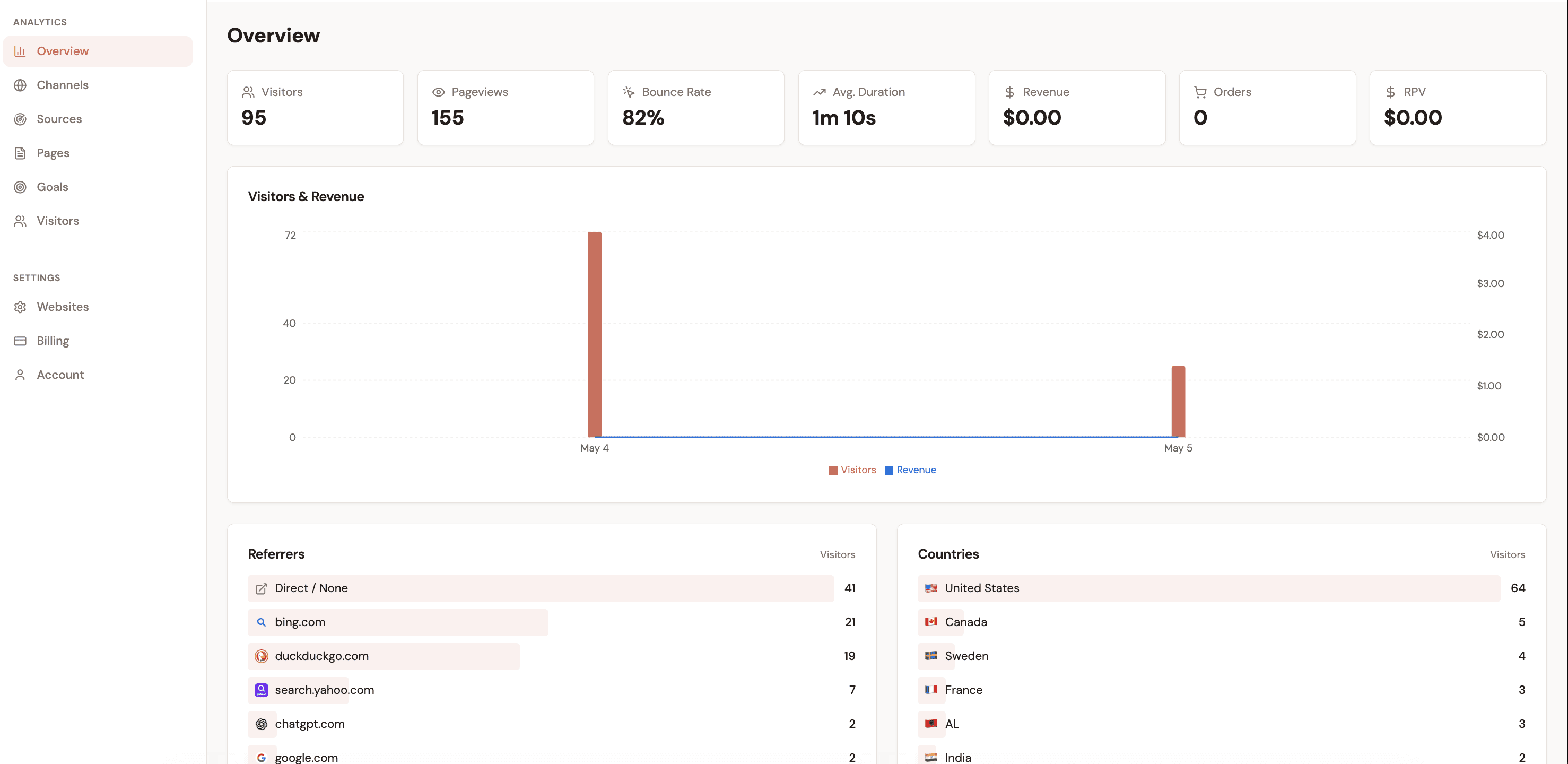
  • For revenue attribution specifically, only Attrifast connects directly to Stripe and Shopify without custom code. Setup is 2 minutes, pricing starts at $9.99/mo.
  • Running Attrifast alongside GA4 is a legitimate hybrid approach if you need behavioral analytics depth plus accurate revenue attribution.

Why GA4 fails at revenue tracking: 5 specific technical reasons

GA4 was designed as a behavioral analytics tool — page views, sessions, events, funnels. Revenue attribution is a different problem that requires bridging browser sessions with server-side payment data. GA4 was not designed for this, and the seams show in five specific, painful ways.

1

Cookie expiration destroys attribution chains

GA4 relies on the _ga cookie (set to 2-year expiry by default) to stitch sessions together. Safari's Intelligent Tracking Prevention (ITP) caps first-party cookies set via JavaScript to 7 days. Firefox capping starts at 90 days. A founder who visits your site from a blog post in January and converts via a direct visit in February is attributed to "(direct) / (none)" — not to the original channel that drove discovery. Independent research by Simo Ahava and the analytics community estimates this affects 20–40% of conversion attribution in B2B SaaS.

2

Cross-domain journeys silently break

If your marketing site is on yourdomain.com and your app is on app.yourdomain.com, GA4 loses the session unless you explicitly configure cross-domain measurement and pass linker parameters. Most teams do not do this correctly. The result: a visitor who browses your pricing page and then signs up appears as two separate sessions with no attribution chain between them.

3

Data sampling distorts channel-level accuracy

GA4 samples data in Standard reports when a property exceeds 10 million events per month. For high-traffic sites, channel-level revenue reports are estimates — not exact counts. The sampling rate is not shown by default in the UI. You are making budget decisions on statistically approximated data without knowing it.

4

No server-side Stripe matching — ever

Stripe processes payments on its servers, not in the browser. GA4 has no native Stripe webhook listener. To connect a Stripe charge to the visitor session that preceded it, you must: (1) capture GA4's client_id at checkout and store it in your database, (2) retrieve it when a payment webhook fires, and (3) send it back to GA4 via the Measurement Protocol API. Each step fails silently. This is not a configuration problem — it is a fundamental architectural mismatch between client-side analytics and server-side payments.

5

GDPR consent banners create a 30–40% blind spot

Under GDPR and PECR, GA4 requires a consent banner in the EU and UK. When visitors decline — and 30–40% routinely do on B2B sites — their sessions are either excluded or replaced with GA4's modeled estimates. GA4 Consent Mode v2 fills gaps with machine learning, but modeled data is not auditable and degrades for low-traffic channels where it can produce wildly inaccurate results.

The result of these five issues combined: GA4 revenue reports for a typical Stripe SaaS typically show 40–60% of actual revenue. The rest is either unattributed, credited to "(direct) / (none)", or simply missing. This is not a configuration problem you can solve with more GTM tags — it is structural.

How attribution actually works: GA4 vs Attrifast side by side

The diagrams below show every step each tool takes to connect a visitor to a revenue event. The difference is not minor — it is architectural.

GA4 attribution flow
1

Visitor arrives

UTM params captured in cookie

2

Session tracked client-side

_ga cookie stored (7-day Safari cap)

3

Checkout begins

client_id must be saved to your DB

4

Stripe payment fires server-side

GA4 has no visibility here

5

Manual Measurement Protocol call

Requires matching client_id — fails silently

6

Revenue attributed — maybe

30–50% gaps from ITP, ad blockers, consent

Attrifast attribution flow
1

Visitor arrives

UTM params captured, cookie-free session created

2

Session tracked server-side

No ITP limit — session persists reliably

3

Checkout begins

Session token auto-passed to payment flow

4

Stripe payment fires server-side

Attrifast webhook receives event instantly

5

Automatic session matching

Payment linked to session — no engineering needed

6

Revenue attributed accurately

90–100% accuracy, real-time dashboard

5 Google Analytics alternatives compared: features and pricing

Honest feature comparison across the five most common GA4 replacements. Note that revenue tracking, Stripe integration, and Shopify integration are separate capabilities — a cookie-free analytics tool is not the same as a revenue attribution tool.

AttrifastRecommended

Native (Stripe)

$9.99–29/mo
Stripe

Yes

Shopify

Yes

Cookie-free

Yes

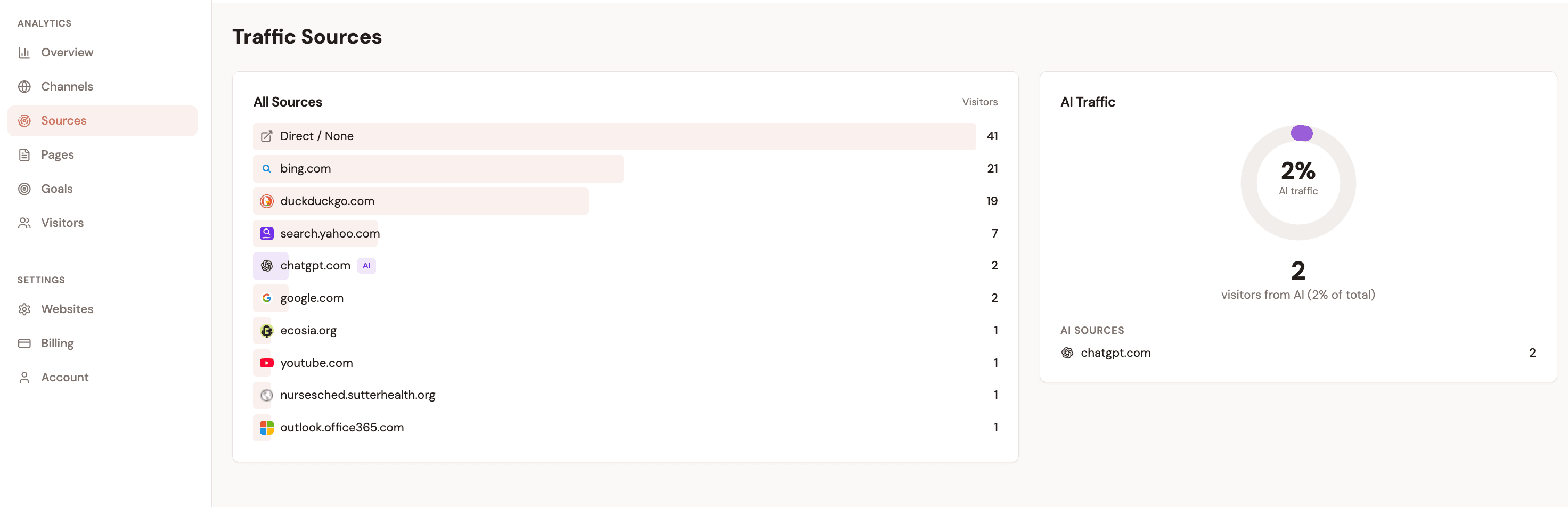
AI traffic filter

Yes

2 minutes setup

GA4

Manual (3 integrations)

Free
Stripe

No

Shopify

No

Cookie-free

No

AI traffic filter

No

4–8 hours+ setup

Plausible

None (traffic only)

$9–19/mo
Stripe

No

Shopify

No

Cookie-free

Yes

AI traffic filter

No

5 minutes setup

Fathom

None (traffic only)

$15–50/mo
Stripe

No

Shopify

No

Cookie-free

Yes

AI traffic filter

No

5 minutes setup

Simple Analytics

None (traffic only)

$9–29/mo
Stripe

No

Shopify

No

Cookie-free

Yes

AI traffic filter

No

5 minutes setup

GA4 vs Plausible vs Attrifast: capability scoring

Across six dimensions that matter for founders replacing GA4. Each score reflects the tool's real-world performance for a Stripe-powered SaaS or Shopify store, not the theoretical maximum capability after months of custom engineering.

GA4
Plausible
Attrifast
Privacy & cookie-free
20%
80%
100%
Revenue accuracy
40%
0%
95%
Setup speed
15%
85%
95%
Total cost value
70%
75%
92%
AI traffic detection
30%
20%
90%
No engineering needed
20%
90%
95%

Scores are qualitative assessments based on published features, independent reviews, and hands-on testing. Revenue accuracy scores reflect typical outcomes for Stripe-powered SaaS.

What to look for in a Google Analytics replacement for revenue tracking

Not all GA4 alternatives are solving the same problem. Use this checklist to match the tool to your actual need. If revenue attribution is your priority, the requirements are different from simply wanting a simpler or more privacy-compliant traffic tool.

Revenue tracking
  • Native Stripe integration — no custom webhook code required
  • Shopify order data pulled automatically
  • Revenue-per-visitor (RPV) metric available per channel
  • Subscription renewals attributed without browser session dependency
Privacy and data accuracy
  • Cookie-free tracking so ITP and ad blockers do not create gaps
  • No consent banner required (GDPR-compliant by design)
  • No data sampling on channel-level reports
  • AI/bot traffic filtered out of revenue attribution
Setup and maintenance
  • Under 10 minutes from signup to first revenue data
  • No Google Tag Manager, data layers, or custom events
  • No BigQuery pipeline to maintain
  • No engineering team required to stay operational
Pricing and transparency
  • Transparent, flat pricing — no per-event or per-seat surprises
  • Free trial before committing
  • Export your own data at any time

Key distinction: traffic analytics vs revenue attribution

If your primary question is "which pages get the most traffic," Plausible or Fathom answer it better than GA4 with less friction. If your primary question is "which marketing channel drives the most paying customers and revenue," you need a tool that connects to your payment processor — Plausible and Fathom cannot answer this.

Switching from GA4 to Attrifast: what you keep and what changes

Migration does not have to be a hard cutover. Here is exactly what transfers and what you will need to adjust your expectations around.

What you keep
  • Your UTM parameter strategy — Attrifast reads the same utm_source, utm_medium, utm_campaign parameters GA4 uses
  • Your existing traffic patterns and channel mix understanding
  • Your goals and conversion definitions (reformulated as Attrifast goals)
  • Your team's familiarity with source/medium reporting
What changes
  • Revenue data is now real (server-side from Stripe), not inferred from client-side events
  • No consent banner needed — you recover the 30–40% of European sessions previously excluded
  • Channel reports update in real time instead of with a 24–48 hour lag
  • You lose GA4's behavioral depth (scroll maps, funnel exploration, audience segments)
  • No direct Google Ads integration — Attrifast is attribution-only, not ad optimization

Recommended migration sequence

  1. 1Install Attrifast script tag alongside your existing GA4 tag — no removal needed yet
  2. 2Connect Stripe (OAuth, 60 seconds) or Shopify (one-click) to start pulling revenue data
  3. 3Run both tools in parallel for 30 days to compare channel attribution
  4. 4Review the Attrifast revenue-by-channel dashboard and compare to GA4 channel reports
  5. 5Decide whether to keep GA4 for behavioral data or remove it entirely based on your needs

Individual tool verdicts

Who each tool is actually built for — no affiliate commissions, no sponsored positions.

Attrifast

The only lightweight google analytics alternative with revenue tracking that requires zero engineering. If you use Stripe and need to know which channel drives paying customers, this is your starting point. Free 5-day trial, no credit card required.

Best for

Stripe businesses wanting revenue attribution in minutes

Not for

Teams needing deep funnel exploration, cohort analysis, or ad platform feedback loops

Plausible Analytics

The cleanest GA4 replacement for simple traffic analytics. Cookie-free, fast, and genuinely easy to read. It does not track revenue and there is no roadmap indication that it will.

Best for

Teams that want traffic analytics without consent banners or GDPR complexity

Not for

Anyone who needs to know revenue by channel

Fathom Analytics

Similar positioning to Plausible — privacy-first traffic analytics done well. Slightly cleaner UI. Same limitation: no revenue data, no payment processor integrations.

Best for

Privacy-conscious teams, agencies managing multiple client sites

Not for

Revenue attribution or payment-level tracking

Simple Analytics

The most privacy-maximalist option — no personal data collected at all. Good for compliance-sensitive organizations. Revenue tracking is completely outside its scope.

Best for

Organizations with strict privacy requirements, European teams under heavy GDPR scrutiny

Not for

Any revenue or conversion tracking use case

GA4 (free)

Still the best tool for behavioral analytics — funnel exploration, scroll tracking, event analysis, audience segments. Keep it if you use those features. Replace it for revenue attribution because it was not designed for that job.

Best for

Behavioral analytics, ad audience building, site optimization with engineering resources

Not for

Accurate revenue attribution for Stripe/SaaS without a dedicated engineering investment

Frequently asked questions

What is the best Google Analytics alternative with revenue tracking?

For Stripe businesses, Attrifast is the only lightweight Google Analytics alternative that natively connects to your payment processor and shows revenue by marketing channel without custom engineering. It takes 2 minutes to set up and is cookie-free by design. Plausible and Fathom are solid GA4 replacements for traffic analytics but neither tracks revenue.

Can GA4 track Stripe revenue?

GA4 can technically track Stripe revenue but requires three separate custom integrations: client-side purchase events on your confirmation page, the Measurement Protocol API from your backend webhook handler, and optionally a BigQuery export for subscription revenue. Each step requires engineering time, fails silently when misconfigured, and misses subscription renewals that happen without a browser session.

Is Plausible Analytics a replacement for Google Analytics with revenue tracking?

Plausible Analytics is an excellent privacy-first alternative to GA4 for traffic analytics but it does not track revenue. It has no Stripe integration and no revenue-per-visitor metric. If you need to know which marketing channels drive paying customers — not just visitors — you need a dedicated revenue attribution tool like Attrifast alongside or instead of Plausible.

Do I need to remove GA4 when switching to Attrifast?

No. Many teams run both simultaneously — GA4 for behavioral analytics (funnel exploration, scroll depth, audience segments) and Attrifast for revenue attribution. Attrifast's 4KB script has negligible performance impact. That said, if revenue attribution is your primary need and behavioral depth is not, Attrifast alone is sufficient.

How does Attrifast track revenue without cookies?

Attrifast identifies visitor sessions using server-side fingerprinting techniques that do not rely on cookies stored in the browser. When a Stripe payment fires, Attrifast matches the payment to the originating session using a short-lived session token. This means Safari ITP, Firefox tracking protection, and ad blockers do not cause attribution gaps.

What happens to my historical GA4 data if I switch?

Your historical GA4 data remains in your Google Analytics account. Attrifast does not import historical GA4 data, but it does start attributing revenue from the moment you connect Stripe. Most teams give themselves a 30-day parallel running period before using Attrifast as the primary revenue source.

Privacy-first GA4 alternatives — entry-tier pricing (USD/mo)

Source: Verified vendor pricing pages and EDPB Guidelines 2/2023 on ePrivacy compliance

Stop guessing which channel drives revenue

Connect Stripe and see exact revenue by marketing channel in 2 minutes. No GA4 complexity, no consent banners, no engineering.

Start free trial →

Loved by 500+ users